WordPress 3.2 is now available and brings some great new features to users, we cover here what we think are the outstanding features of this new version.
1) It’s quicker
Certainly in the administration screens it’s quicker. The whole thing just has a snappy feel about it. We’ve only upgraded a handful of sites so far, so it’s hard to comment on the performance of the front end of the sites.
Each time you save a new post the screen redraws much faster, it’s actually noticeable not just theoretical.
This can be contributed to a lot of work that the WordPress developers have done in optimising the code, database queries and forcing support for only the latest platforms – no more MySql 4, 3.2 needs MySql 5.
2) New admin interface
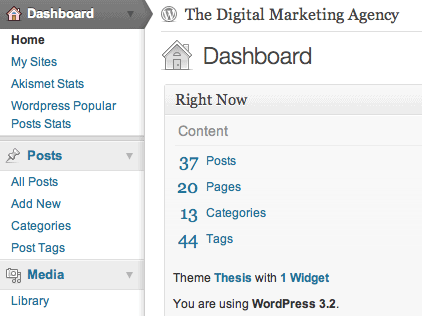
Similar to the joy of a new version Mac OS or Windows one of the nicest things about it is that it looks different, just a little more modern perhaps but mostly just different. There is a syndrome in there somewhere that I’m sure will be documented in years to come, we computer users like our tools to be new and glossy from time to time. Ever spent an hour playing with your desktop wallpaper?
The screen shot above shows a section of the administration screen, the left menu system had been reworked a lot, showing the user more definitely where they are operating.
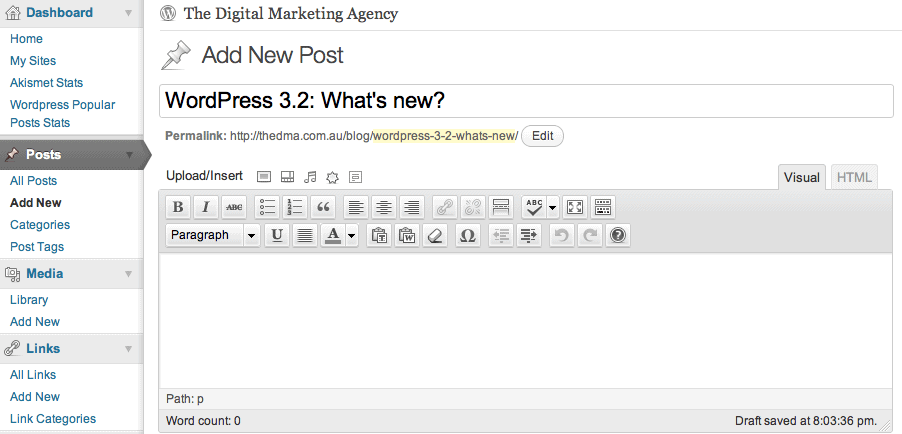
It’s not just the menu though, the whole interface has had a facelift. The Post screen, pictured below is another example. All of the icons have had subtle redesigns. Click it to view a larger version.
3) Distraction free writing
This is a common feature creeping into lots of software these days. If you’re a Mac or iPad users you’ll have noticed things like Pages and Word offering fullscreen modes where all the icons and tool bars are moved out of the way and the user is presented with an interface to get down to business.
 It’s something that many users will not be expecting but it’s very nice. In the post screen tools you simply click the full screen icon, see opposite, and the administration screen gently fades away to leave you with just the business of writing your web site content.
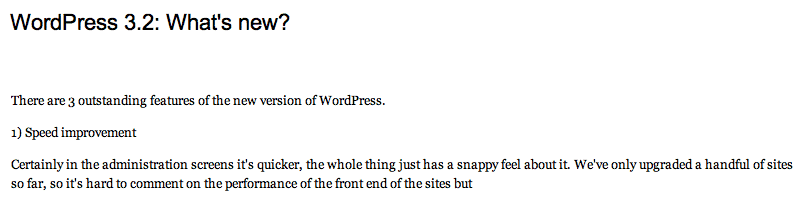
Below is a screen shot of the effect again give it a click to view later. Still doesn’t really show you how elegant it is, you need to try it for yourself.
If you’re a customer on our WordPress Maintenance Program, we’ll be contacting you shortly regarding the upgrade of your site to this new version, if not enquire about the DMA managing your WordPress web site.
Below is a video courtesy of WordPress.tv that demos some of the new features of WordPress 3.2